
The Sucuri Security WordPress plugin is a powerful, free tool designed to protect your website from malware, hackers, and security threats. It offers malware scanning, security activity auditing, file integrity monitoring, and a cloud-based firewall to keep your site safe and secure.
WordPress powers over 40% of the internet, making it a prime target for hackers and malware. While its flexibility and ease of use are major advantages, they also attract cybercriminals looking to exploit outdated plugins, weak passwords, or unsecured themes. That’s where the **Sucuri Security WordPress plugin** comes in—a trusted, all-in-one security solution that helps protect your site from the most common threats.
Whether you’re running a personal blog, an online store, or a business website, security should never be an afterthought. A single breach can lead to stolen data, lost revenue, and damage to your reputation. The Sucuri Security plugin acts as your digital watchdog, constantly monitoring your site for suspicious activity and helping you respond quickly to potential threats. Best of all, it’s free to use, making it accessible for everyone from beginners to seasoned developers.
Key Takeaways
- Free and easy to install: The Sucuri Security plugin is completely free and integrates seamlessly with any WordPress site.
- Malware scanning and removal: It detects malicious code and suspicious files, helping you clean infections quickly.
- Security activity monitoring: Tracks login attempts, file changes, and other critical events in real time.
- Cloud-based firewall protection: Blocks malicious traffic before it reaches your server, improving site speed and security.
- Post-hack recovery tools: Offers guidance and tools to restore your site after a security breach.
- Regular security audits: Helps you maintain compliance and identify vulnerabilities before attackers do.
- Trusted by professionals: Used by developers, agencies, and site owners worldwide for reliable WordPress protection.
Quick Answers to Common Questions
Is the Sucuri Security plugin free?
Yes, the core Sucuri Security plugin is completely free to download and use. It includes malware scanning, security auditing, and file monitoring.
Does Sucuri slow down my website?
No, the plugin runs scans in the background and doesn’t impact site performance. The paid firewall can actually improve speed by blocking malicious traffic.
Can Sucuri clean my hacked website?
The free plugin helps detect and remove some malware, but for full cleanup, Sucuri offers paid incident response services with expert support.
Do I need technical skills to use Sucuri?
No, the plugin is designed for all users. Setup is simple, and most features work automatically with minimal configuration.
Is the firewall included in the free version?
No, the cloud-based firewall is a paid service. However, it provides advanced protection and is recommended for high-traffic or business sites.
📑 Table of Contents
What Is the Sucuri Security WordPress Plugin?
The Sucuri Security plugin is a comprehensive security tool developed by Sucuri, a leading cybersecurity company specializing in website protection. It’s designed specifically for WordPress and offers a suite of features that help prevent, detect, and respond to security threats. Unlike some security plugins that only focus on one aspect—like firewalls or malware scanning—Sucuri provides a layered defense strategy.
Once installed, the plugin integrates directly into your WordPress dashboard, giving you instant access to security reports, alerts, and tools. It doesn’t require advanced technical knowledge, making it ideal for site owners who want strong protection without the complexity. From small bloggers to large enterprises, thousands of WordPress users rely on Sucuri to keep their sites safe.
Core Features at a Glance
The plugin includes several key features that work together to secure your site:
– **Malware Scanning:** Regularly checks your files and database for known malware signatures and suspicious code.
– **Security Activity Auditing:** Logs important events like login attempts, plugin updates, and file modifications.
– **File Integrity Monitoring:** Alerts you when core WordPress files are changed unexpectedly.
– **Blacklist Monitoring:** Checks if your site has been flagged by search engines or security services.
– **Remote Security Scans:** Performs scans from outside your server to detect issues that internal scans might miss.
These features are updated regularly, ensuring your site is protected against the latest threats.
How to Install and Set Up Sucuri Security

Visual guide about Sucuri Security WordPress Plugin
Image source: sucuri.net
Getting started with the Sucuri Security plugin is quick and straightforward. Here’s how to install and configure it on your WordPress site:
Step 1: Install the Plugin
1. Log in to your WordPress admin dashboard.
2. Go to **Plugins > Add New**.
3. In the search bar, type “Sucuri Security.”
4. Click **Install Now** and then **Activate**.
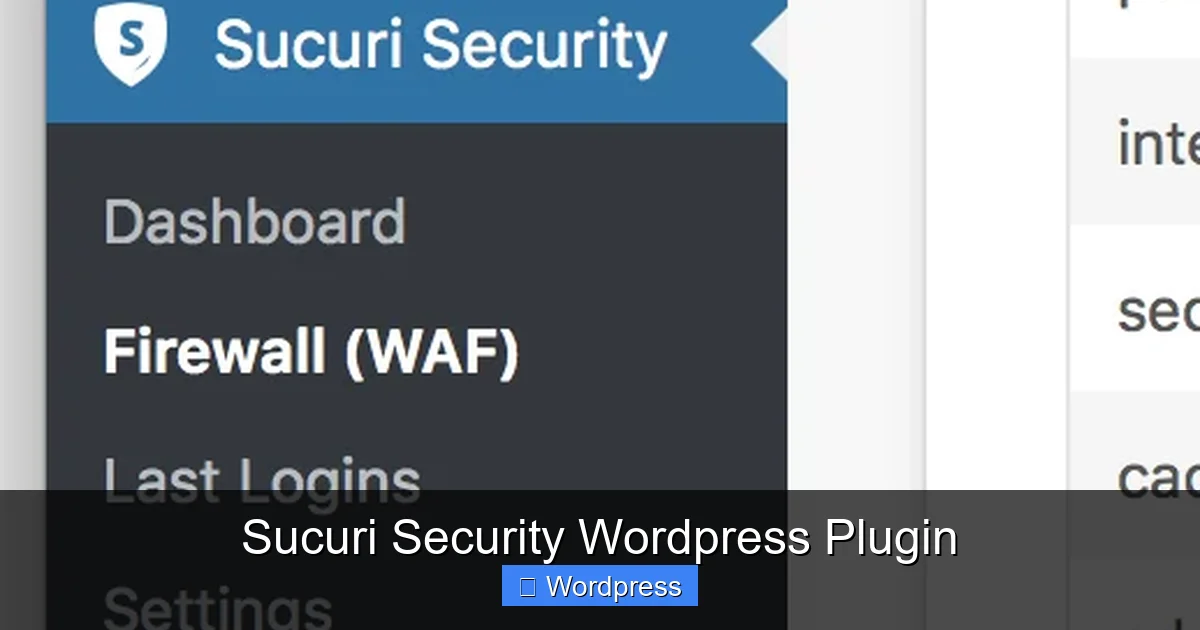
The plugin will appear in your dashboard menu under **Sucuri Security**.
Step 2: Run the Initial Scan
After activation, the plugin will prompt you to run your first security scan. This scan checks for malware, outdated software, and configuration issues. It may take a few minutes, depending on your site size.
Step 3: Configure Security Settings
Navigate to **Sucuri Security > Settings** to customize your protection. Key settings include:
– **Email Alerts:** Set up notifications for security events.
– **Scan Frequency:** Choose how often scans run (daily is recommended).
– **Firewall Integration:** If you’re using Sucuri’s paid firewall service, link it here for enhanced protection.
For most users, the default settings provide excellent protection. However, advanced users can fine-tune options like whitelisting IP addresses or excluding certain files from scans.
Malware Scanning and Threat Detection
One of the most valuable features of the Sucuri Security plugin is its malware scanning capability. Unlike simple file checkers, Sucuri uses a combination of signature-based detection and behavioral analysis to identify threats.
How Malware Scans Work
When a scan runs, the plugin compares your site’s files against a database of known malware patterns. It also looks for unusual code injections, backdoors, and suspicious file modifications. If a threat is detected, you’ll receive an alert with details about the infected file and recommended actions.
For example, if a hacker injects malicious JavaScript into your theme’s header file, Sucuri will flag it immediately. You can then quarantine the file, restore it from a backup, or use the plugin’s cleanup tools to remove the threat.
Real-Time Monitoring
Beyond scheduled scans, Sucuri monitors your site in real time. It tracks file changes, user logins, and plugin installations. If someone tries to upload a malicious file or access your admin area from an unknown location, you’ll be notified instantly.
This proactive approach helps you catch threats early—before they cause serious damage. It’s especially useful for sites with multiple users or frequent content updates.
Firewall Protection and Performance Benefits
Visual guide about Sucuri Security WordPress Plugin
Image source: docs.sucuri.net
While the free plugin offers excellent scanning and monitoring, the real game-changer is Sucuri’s **cloud-based firewall**. Available as a paid upgrade, the firewall sits between your website and visitors, filtering out malicious traffic before it reaches your server.
How the Firewall Works
The firewall blocks common attack vectors like SQL injections, cross-site scripting (XSS), and brute force login attempts. It also protects against DDoS attacks and spam bots. Because traffic is filtered in the cloud, your server doesn’t get bogged down by bad requests, which can improve site speed and uptime.
For example, if a bot is trying to guess your admin password by making thousands of login attempts, the firewall will block it—even before it hits your WordPress login page. This reduces server load and keeps your site running smoothly.
Performance and SEO Advantages
A secure site is also a fast site. By blocking malicious traffic and reducing server strain, the firewall can improve your site’s performance. Faster load times not only enhance user experience but also boost your search engine rankings.
Additionally, if your site gets blacklisted by Google due to malware, Sucuri can help you get it delisted faster. Their team provides cleanup reports and support to restore your site’s reputation.
Post-Hack Recovery and Support
Even with the best protection, no site is 100% immune to attacks. If your site is compromised, the Sucuri Security plugin offers tools to help you recover quickly.
Incident Response Tools
After a hack, the plugin can help you:
– Identify the source of the infection.
– Remove malicious code and files.
– Restore clean backups.
– Strengthen security settings to prevent future attacks.
The plugin also provides a detailed security audit log, which can be useful for forensic analysis or reporting to your hosting provider.
Professional Support Options
For more serious breaches, Sucuri offers **paid incident response services**. Their team of experts can clean your site, remove malware, and implement advanced security measures. This is especially valuable for business sites or e-commerce stores where downtime can be costly.
Best Practices for Using Sucuri Security
To get the most out of the plugin, follow these best practices:
– **Keep WordPress and plugins updated:** Sucuri can’t protect against vulnerabilities in outdated software.
– **Use strong passwords:** Enable two-factor authentication for admin accounts.
– **Limit login attempts:** Use the plugin’s settings or a companion plugin to block brute force attacks.
– **Regularly back up your site:** In case of a breach, backups let you restore your site quickly.
– **Monitor security alerts:** Don’t ignore notifications—investigate and act on them promptly.
Combining Sucuri with other security habits creates a strong defense. For example, using a secure hosting provider like Bluehost or WP Engine adds another layer of protection. You can learn more about choosing the right host in our guide on best web hosting services for WordPress.
Conclusion
The Sucuri Security WordPress plugin is a must-have tool for anyone serious about protecting their website. It’s free, easy to use, and packed with features that help prevent, detect, and respond to security threats. From malware scanning to real-time monitoring and firewall protection, Sucuri gives you peace of mind so you can focus on growing your site.
Whether you’re a blogger, business owner, or developer, investing in website security is one of the smartest decisions you can make. With cyber threats on the rise, tools like Sucuri ensure your WordPress site stays safe, fast, and trustworthy. Install it today and take the first step toward a more secure online presence.
Frequently Asked Questions
How often does Sucuri scan my site?
By default, Sucuri runs daily scans, but you can adjust the frequency in the plugin settings. More frequent scans offer better protection.
Can Sucuri protect against brute force attacks?
Yes, the plugin monitors login attempts and can alert you to suspicious activity. For stronger protection, consider enabling the firewall.
Will Sucuri work with my current WordPress theme?
Yes, the plugin is compatible with all WordPress themes and plugins. It doesn’t interfere with your site’s design or functionality.
What happens if malware is found?
Sucuri will notify you via email and dashboard alerts. It provides details about the infected file and recommends steps to remove it safely.
Can I use Sucuri on multiple sites?
Yes, you can install the free plugin on as many WordPress sites as you like. The paid firewall service is licensed per domain.
Does Sucuri help with Google blacklisting?
Yes, Sucuri monitors blacklist status and provides reports to help you get your site delisted faster after a security issue is resolved.