
Yes, Google Analytics is free to use for most individuals and small to medium-sized businesses. The standard version, Google Analytics 4 (GA4), offers powerful insights at no cost. However, there’s also a premium paid version called Google Analytics 360 with advanced features for large enterprises.
Key Takeaways
- Google Analytics 4 is free: The current version of Google Analytics (GA4) is completely free for anyone to use, with no hidden fees.
- No credit card required: You can set up and use Google Analytics without entering any payment information.
- Ideal for WordPress sites: GA4 integrates seamlessly with WordPress, whether you use a plugin or manual code installation.
- Advanced features in GA360: Large organizations may need Google Analytics 360, which is a paid enterprise solution with higher data limits and support.
- Data privacy and compliance: Even the free version helps you monitor user behavior while supporting GDPR and other privacy regulations.
- Easy setup with plugins: Tools like Site Kit by Google make connecting Google Analytics to your WordPress site simple and fast.
- Ongoing updates and support: Google continuously improves GA4 with new features, all available at no extra cost.
Quick Answers to Common Questions
Is Google Analytics really free?
Yes, Google Analytics 4 is completely free to use. There are no hidden fees or subscription costs for the standard version.
Do I need to pay to use Google Analytics with WordPress?
No. You can use Google Analytics on WordPress at no cost by using free plugins like Site Kit or GA Google Analytics.
What’s the difference between GA4 and Google Analytics 360?
GA4 is the free version for most users. Google Analytics 360 is a paid enterprise plan with higher data limits and advanced features, starting at around $150,000 per year.
Can I track e-commerce sales with the free version?
Yes. GA4 supports e-commerce tracking for platforms like WooCommerce, including product views, purchases, and refunds.
Do I need technical skills to set up Google Analytics?
No. With plugins like Site Kit, setup takes just a few clicks — no coding required.
📑 Table of Contents
- Is Google Analytics Free? The Short Answer
- Understanding Google Analytics 4 (GA4)
- How to Set Up Google Analytics on WordPress (For Free)
- What’s the Catch? Are There Any Limitations?
- Google Analytics 360: The Paid Enterprise Option
- Why WordPress Users Love Free Google Analytics
- Common Misconceptions About Google Analytics Pricing
- Final Thoughts: Should You Use Google Analytics?
Is Google Analytics Free? The Short Answer
Yes — Google Analytics is free. The version most people use today, called Google Analytics 4 (GA4), comes at no cost. You don’t need to pay anything to create an account, install it on your website, or access its core features. Whether you run a personal blog, a small business site, or a growing e-commerce store, you can start tracking your visitors immediately without spending a dime.
This might sound too good to be true, but it’s not. Google offers GA4 for free because it helps them collect anonymized data to improve their advertising and search platforms. In return, you get powerful tools to understand your audience, measure marketing performance, and make smarter decisions about your content and design. For WordPress users, this means you can gain deep insights into your site’s performance without investing in expensive analytics software.
Understanding Google Analytics 4 (GA4)
Google Analytics 4 is the latest version of Google’s analytics platform, launched in 2020 to replace the older Universal Analytics (UA). GA4 is built around events and user behavior rather than pageviews and sessions, making it more flexible and future-proof. It’s designed to work well across websites, apps, and even hybrid experiences — perfect for modern WordPress sites that may include mobile apps or dynamic content.
Visual guide about Is Google Analytics Free
Image source: soravjain.com
Key Features of GA4
GA4 offers a wide range of features that are completely free:
- Event tracking: Automatically tracks common actions like clicks, video plays, and form submissions.
- Audience insights: Shows demographics, interests, and user behavior patterns.
- Conversion tracking: Lets you define and monitor goals like purchases, sign-ups, or downloads.
- Real-time reports: See who’s on your site right now and what they’re doing.
- Cross-platform tracking: Combines data from your website and mobile app (if applicable).
- Machine learning insights: GA4 uses AI to predict user behavior, such as likelihood to purchase or churn.
Why GA4 Is Better for WordPress
WordPress sites often use dynamic content, plugins, and custom themes. GA4 handles these complexities better than older versions. For example, if you use a plugin like WooCommerce, GA4 can automatically track product views, add-to-cart actions, and purchases without extra setup. This makes it ideal for bloggers, online stores, and membership sites built on WordPress.
How to Set Up Google Analytics on WordPress (For Free)
Setting up Google Analytics on your WordPress site is straightforward — and free. You don’t need technical skills or a developer. Here’s how to do it in a few simple steps.
Option 1: Use the Site Kit by Google Plugin
The easiest way to connect Google Analytics to WordPress is by using the official Site Kit by Google plugin. It’s free, trusted, and built by Google specifically for WordPress users.
- Go to your WordPress dashboard.
- Navigate to Plugins > Add New.
- Search for “Site Kit by Google” and click Install Now, then Activate.
- Follow the setup wizard to connect your Google account and enable Google Analytics.
- Site Kit will automatically install the GA4 tracking code on your site.
That’s it! Within minutes, you’ll start seeing data in your Google Analytics dashboard.
Option 2: Manual Installation with a Plugin
If you prefer more control, you can use plugins like GA Google Analytics or MonsterInsights (free version available). These let you paste your GA4 measurement ID (starts with “G-”) into a settings field. The plugin then inserts the tracking code on every page.
Option 3: Add the Code Manually
For advanced users, you can copy the GA4 tracking code from your Google Analytics account and paste it into your WordPress theme’s header.php file or use a code snippets plugin. However, this method is less recommended unless you’re comfortable with code, as updates to your theme could overwrite your changes.
What’s the Catch? Are There Any Limitations?
While Google Analytics is free, it’s not without limitations. Understanding these will help you decide if GA4 meets your needs or if you might need an upgrade later.
Visual guide about Is Google Analytics Free
Image source: cxl.com
Data Limits and Sampling
GA4 has data thresholds. If your site gets more than 10 million events per month, reports may use sampled data, which means not all user actions are included in every report. For most WordPress sites — especially blogs and small businesses — this won’t be an issue. But high-traffic e-commerce sites might hit this limit.
No Real-Time User Identification
GA4 doesn’t let you see individual users in real time (for privacy reasons). You can see active users and their actions, but not personal details unless you set up additional tracking (which must comply with privacy laws).
Limited Custom Dimensions
The free version allows a limited number of custom dimensions and metrics. If you need to track highly specific data (like custom user roles or membership levels), you might hit these limits. However, for most WordPress sites, the default settings are more than enough.
Support Is Self-Service
Google doesn’t offer direct customer support for free GA4 users. Help comes from community forums, documentation, and YouTube tutorials. If you need dedicated support, you’d need to upgrade to Google Analytics 360.
Google Analytics 360: The Paid Enterprise Option
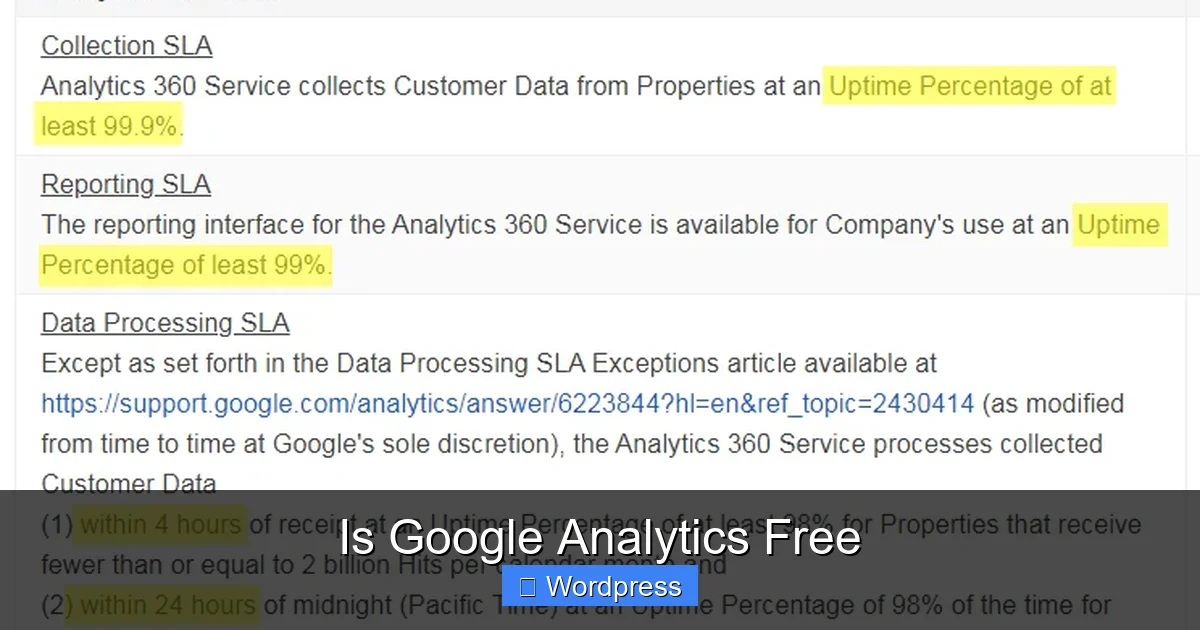
For large organizations with high traffic and complex needs, Google offers Google Analytics 360, the premium version. This is not free — pricing starts around $150,000 per year. It’s designed for enterprises that need:
- Higher data limits (up to 1 billion events per month)
- Advanced analysis tools (like funnel exploration and cohort analysis)
- Direct Google support
- Integration with other Google Cloud services
- Enhanced data freshness and unsampled reports
Unless you run a major brand or high-traffic platform, the free version of GA4 is more than sufficient. Most WordPress users will never need GA360.
Why WordPress Users Love Free Google Analytics
WordPress powers over 43% of all websites, and Google Analytics is one of the most popular tools to track performance. Here’s why it’s a perfect match:
Seamless Integration
With plugins like Site Kit, connecting GA4 to WordPress takes less than 5 minutes. No coding, no hassle. Once connected, you get detailed reports on traffic sources, popular pages, user behavior, and more — all from your WordPress dashboard or the Google Analytics interface.
Helps Improve Content and SEO
By analyzing which posts get the most views or where users drop off, you can refine your content strategy. For example, if a blog post has high traffic but low time on page, you might improve readability or add internal links. This ties directly into SEO — better user engagement signals can boost your rankings.
Tracks Marketing Campaigns
Whether you’re running Google Ads, social media campaigns, or email newsletters, GA4 helps you see which channels drive the most conversions. You can set up UTM parameters to track specific campaigns and measure ROI — all for free.
Supports E-Commerce and Membership Sites
If you use WooCommerce or a membership plugin, GA4 can track sales, refunds, and user journeys. This helps you understand what products sell best, where users abandon carts, and how to optimize the checkout process.
Common Misconceptions About Google Analytics Pricing
Despite being free, many people still believe Google Analytics costs money. Let’s clear up some myths:
- “You need to pay to use it”: False. GA4 is 100% free.
- “The free version lacks features”: Not true. Most features are available at no cost.
- “It’s only for big companies”: No — individuals and small businesses benefit just as much.
- “You need a developer to set it up”: With plugins like Site Kit, anyone can do it.
- “Data is sold to advertisers”: Google anonymizes data and doesn’t sell personal information.
Final Thoughts: Should You Use Google Analytics?
Absolutely. For WordPress users, Google Analytics is one of the best free tools available. It gives you deep insights into your audience, helps you improve your site, and supports your marketing efforts — all without costing a penny. Whether you’re a blogger, freelancer, or small business owner, GA4 is a must-have.
Start by installing Site Kit or another trusted plugin, connect your Google account, and explore the reports. You’ll quickly see the value. And if your site grows, you’ll already have a solid analytics foundation in place. Remember, the best time to start tracking your website was yesterday — the second best time is now.
Frequently Asked Questions
Is Google Analytics free forever?
Google has not announced any plans to charge for GA4. As long as Google continues to offer it, the core version will likely remain free for individuals and small businesses.
Can I use Google Analytics without a Google account?
No. You need a Google account to create and access your Google Analytics property. This is free to set up.
Does Google Analytics slow down my WordPress site?
When installed properly via a plugin, GA4 has minimal impact on site speed. Avoid outdated plugins that load scripts inefficiently.
Is Google Analytics safe and privacy-compliant?
Yes. GA4 supports GDPR, CCPA, and other privacy laws. You can configure data retention settings and anonymize IP addresses.
Can I switch from Universal Analytics to GA4 for free?
Yes. Google encourages migration to GA4, and the process is free. You can run both versions during the transition.
Are there free alternatives to Google Analytics?
Yes, tools like Matomo and Open Web Analytics offer free options, but GA4 remains the most widely used and feature-rich free analytics platform.