WooCommerce download lets you sell digital products like e-books, software, music, and courses directly through your WordPress site. It’s a powerful feature that turns your store into a full-fledged digital marketplace with secure file delivery and flexible access control.
If you’re running a WordPress website and want to start selling digital products, you’ve probably heard about WooCommerce download. It’s one of the most powerful and user-friendly ways to turn your site into a digital storefront. Whether you’re selling an e-book, a course, a music album, or software, WooCommerce makes it simple to deliver files securely to your customers.
WooCommerce is a free, open-source plugin built specifically for WordPress. It transforms your regular website into a fully functional online store. While many people use it for physical products like clothes or gadgets, its digital product capabilities are just as strong—and often underused. With WooCommerce download, you can automate the entire process: from purchase to delivery. No more emailing files manually or worrying about broken links. Everything happens behind the scenes, giving you more time to focus on creating great content.
Key Takeaways
- Easy Installation: WooCommerce is a free WordPress plugin you can install in minutes from your dashboard.
- Sell Digital Products: Use WooCommerce download to offer e-books, videos, software, and more with automatic file delivery.
- Secure File Access: Download links are time-limited and unique to each customer for security.
- Flexible Permissions: Control how many times a customer can download and for how long.
- Works with Any Host: Most WordPress hosts support WooCommerce, but performance varies—choose wisely.
- Extend with Add-ons: Enhance functionality with extensions for subscriptions, licensing, or DRM.
- Great for Creators: Ideal for artists, educators, developers, and entrepreneurs selling digital goods.
Quick Answers to Common Questions
Can I sell digital products with WooCommerce?
Yes! WooCommerce supports downloadable products like e-books, music, software, and courses. You can upload files and deliver them automatically after purchase.
Is WooCommerce download secure?
Yes. Download links are unique, time-limited, and tied to customer accounts, reducing the risk of unauthorized access.
Do I need special hosting for WooCommerce download?
Not necessarily, but a fast, reliable host improves performance. Managed WooCommerce hosting is ideal for digital stores.
Can I limit how many times a customer downloads a file?
Absolutely. WooCommerce lets you set download limits and expiration dates for each product.
Are there fees for using WooCommerce download?
WooCommerce itself is free. You only pay for hosting, domain, and optional premium extensions or payment processing fees.
📑 Table of Contents
What Is WooCommerce Download?
WooCommerce download refers to the built-in functionality that allows store owners to sell digital products and deliver them automatically to customers after purchase. When a customer buys a digital item—like a PDF, MP3, or ZIP file—WooCommerce generates a secure download link. This link is sent via email and also appears in the customer’s account area on your site.
This feature is perfect for anyone creating and selling digital content. Think photographers selling high-res images, teachers offering online courses, or developers distributing plugins. The system handles file storage, access control, and delivery, so you don’t have to.
How It Works
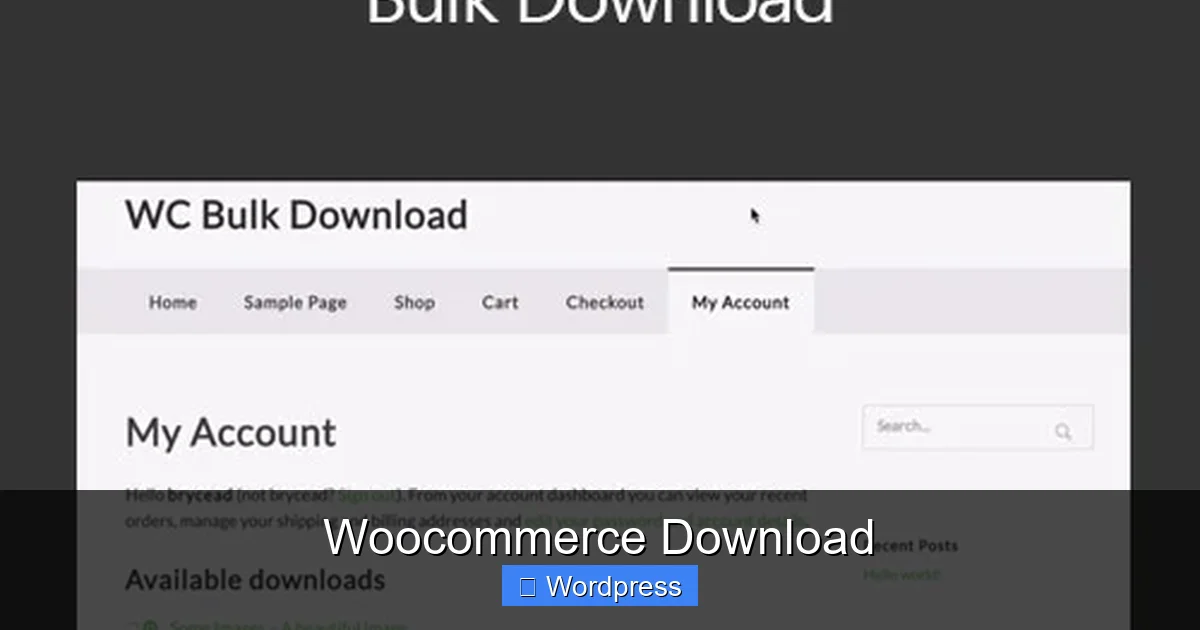
When you add a product in WooCommerce, you can mark it as “Downloadable.” Then, you upload the file (or link to it) and set permissions like download limits and expiration times. Once a customer completes their purchase, WooCommerce automatically grants access to the file. The customer receives an email with the download link and can also access it from their “My Account” page.
Why Use WooCommerce for Digital Products?
WooCommerce is trusted by millions of websites worldwide. It’s reliable, scalable, and integrates seamlessly with WordPress. Unlike third-party platforms that take a cut of your sales, WooCommerce lets you keep 100% of your profits (minus payment processor fees). Plus, you own your customer data and can build lasting relationships.
How to Set Up WooCommerce Download
Visual guide about Woocommerce Download
Image source: gplrock.com
Setting up WooCommerce download is straightforward, even if you’re not tech-savvy. Here’s a step-by-step guide to get you started.
Step 1: Install WooCommerce
First, log into your WordPress dashboard. Go to Plugins > Add New, search for “WooCommerce,” and click “Install Now.” Once installed, click “Activate.” WooCommerce will launch a setup wizard to help you configure your store basics—like currency, shipping, and payments.
Step 2: Add a Digital Product
Go to Products > Add New. Give your product a title and description. Scroll down to the “Product Data” section. Change the product type from “Simple product” to “Simple product” (it stays the same, but you’ll now see new options). Check the boxes for “Virtual” and “Downloadable.”
– Virtual: Means no shipping is required.
– Downloadable: Enables file delivery.
Step 3: Upload Your File
In the “Downloadable files” section, click “Add file.” You can upload a file directly from your computer or enter a URL (like a link to a file on Google Drive or Dropbox—though direct upload is more reliable). Give the file a name, like “Ebook – Chapter 1.pdf.”
Step 4: Set Download Limits
WooCommerce lets you control how customers access your files. You can:
– Limit the number of downloads (e.g., 5 times per customer).
– Set an expiration period (e.g., 30 days after purchase).
These settings help prevent abuse and ensure your files aren’t shared indefinitely.
Step 5: Publish and Test
Once everything is set, click “Publish.” Then, place a test order using a different email to make sure the download link works. Check that the file downloads correctly and that the link expires as expected.
Best Practices for WooCommerce Download
To get the most out of WooCommerce download, follow these best practices.
Use Reliable File Hosting
While WooCommerce lets you upload files directly, large files can slow down your site. For better performance, consider using a content delivery network (CDN) or external storage like Amazon S3. You can still link to these files in WooCommerce without hosting them on your server.
Protect Your Files
Even with secure links, determined users might share download URLs. To add extra protection:
– Use watermarking for images and videos.
– Offer licensed software with activation keys.
– Consider using a plugin like WooCommerce Software Add-on for license management.
Optimize File Sizes
Large files take longer to download and use more bandwidth. Compress your files without losing quality. For example, use PDF compression tools or convert videos to efficient formats like MP4 with H.264 encoding.
Provide Clear Instructions
Include a brief guide with your download. For example, “Unzip the file and open index.html to start the course.” This reduces support requests and improves customer satisfaction.
Monitor Downloads
Use WooCommerce reports to track how many times files are downloaded. This helps you spot issues—like broken links or popular products—and improve your offerings.
Choosing the Right Hosting for WooCommerce Download
Visual guide about Woocommerce Download
Image source: i0.wp.com
Not all web hosts are created equal when it comes to WooCommerce. Since digital products often involve file downloads, you need a host that offers fast speeds, strong security, and reliable uptime.
Why Hosting Matters
If your site is slow or goes down during a download, customers may get frustrated and request refunds. A good host ensures smooth performance, especially during traffic spikes.
Recommended Hosting Features
Look for hosts that offer:
– SSD storage for faster file access.
– Free SSL certificates for secure downloads.
– Built-in caching and CDN integration.
– One-click WordPress and WooCommerce installs.
For the best experience, consider managed WordPress hosting providers that specialize in WooCommerce. They often include automatic updates, daily backups, and expert support.
If you’re unsure where to start, check out our guide on the best web hosting for WooCommerce to find top-rated options tailored for online stores.
Extending WooCommerce Download with Add-ons
While the core WooCommerce download feature is powerful, you can extend it with premium extensions.
Popular Add-ons
– WooCommerce Subscriptions: Sell recurring digital products like monthly courses or software updates.
– WooCommerce Memberships: Grant download access only to members, perfect for premium content.
– WooCommerce Bookings: Combine digital downloads with scheduled access, like a live webinar recording.
– Digital Downloads by WP Zone: Adds features like drip content and download analytics.
These tools help you create more engaging and profitable digital experiences.
Free Alternatives
If you’re on a budget, explore free plugins like “Download Manager” or “Easy Digital Downloads” (though the latter is a separate plugin, not a WooCommerce extension). They offer additional file management features.
Common Challenges and How to Solve Them
Even with a great setup, you might run into issues.
Broken Download Links
This usually happens if the file is moved or deleted. Always keep backups and test links regularly. Use a plugin to scan for broken downloads.
Large File Downloads Failing
Some servers limit file upload sizes. Increase your PHP upload limit via your hosting control panel or contact support. Alternatively, use external file hosting.
Customers Can’t Find Downloads
Make sure your confirmation email is clear. Include a direct link and instructions. You can customize WooCommerce emails under WooCommerce > Settings > Emails.
Piracy and Unauthorized Sharing
No system is 100% secure, but you can reduce risk. Use short link expiration times, limit downloads, and consider watermarking or licensing.
Conclusion
WooCommerce download is a game-changer for anyone selling digital products on WordPress. It’s easy to set up, secure, and highly customizable. Whether you’re a solo creator or running a full-scale digital business, WooCommerce gives you the tools to deliver files efficiently and professionally.
From e-books to software, the platform handles the heavy lifting so you can focus on what matters—creating value for your customers. With the right hosting, smart settings, and a few add-ons, your digital store can thrive.
Ready to get started? Install WooCommerce today and take your first step toward building a profitable digital marketplace.
Frequently Asked Questions
How do I upload a file for WooCommerce download?
Go to Products > Add New, mark the product as downloadable, and upload your file in the “Downloadable files” section. You can also link to external files.
Can I sell both physical and digital products with WooCommerce?
Yes! WooCommerce supports mixed product types. Just mark each product as physical, digital, or both during setup.
What file types can I sell with WooCommerce download?
You can sell any file type—PDF, MP3, ZIP, EXE, DOCX, and more. Just ensure your hosting supports the file size and type.
How long do download links last?
You decide! Set expiration times from 1 hour to forever. Most store owners use 24–72 hours for security.
Can customers re-download files later?
Yes, as long as the link hasn’t expired and download limits aren’t reached. Customers can access downloads from their account page.
Do I need an SSL certificate for WooCommerce download?
Yes. SSL encrypts data and is required for secure checkout and file delivery. Most hosts offer free SSL certificates.