Looking to create high-converting landing pages on WordPress? A dedicated WordPress landing page plugin makes it easy—no coding required. These tools offer drag-and-drop builders, pre-designed templates, and seamless integrations to help you capture leads and grow your business faster.
If you’ve ever tried to build a landing page on WordPress using just your theme or the default editor, you know how limiting it can be. You end up wrestling with layouts, struggling with styling, and often sacrificing speed or mobile responsiveness. That’s where a dedicated WordPress landing page plugin comes in—it’s like giving your website a supercharged toolkit for creating high-converting, visually stunning pages in minutes.
Whether you’re promoting a product, collecting email sign-ups, or launching a new service, landing pages are essential. They’re focused, distraction-free, and designed with one goal in mind: getting visitors to take action. And the right plugin makes building them not only possible but enjoyable. From drag-and-drop simplicity to advanced customization, these tools empower marketers, entrepreneurs, and small business owners to create professional-grade pages without hiring a developer.
Key Takeaways
- Easy Page Building: Most WordPress landing page plugins feature intuitive drag-and-drop editors, letting anyone design professional pages without technical skills.
- Conversion-Focused Templates: Many plugins include pre-built templates optimized for lead generation, sales, and webinar sign-ups.
- Seamless Integrations: Top plugins connect with email marketing tools like Mailchimp, CRM systems, and payment gateways for streamlined workflows.
- Mobile-Responsive Designs: All quality landing page plugins ensure your pages look great on phones, tablets, and desktops.
- Performance & Speed: Lightweight plugins minimize bloat, helping your pages load fast and rank better in search engines.
- A/B Testing Capabilities: Advanced plugins let you test different versions of your page to see what converts best.
- No Need for Extra Themes: Unlike full landing page WordPress themes, plugins work with your existing theme—keeping your site consistent.
Quick Answers to Common Questions
What is a WordPress landing page plugin?
A WordPress landing page plugin is a tool that lets you create standalone, conversion-focused pages on your WordPress site without coding. It often includes drag-and-drop editors, templates, and integrations with email and marketing tools.
Do I need a special theme to use a landing page plugin?
No. Most landing page plugins work with your existing WordPress theme, so you don’t need to switch or install a new one.
Can I use a landing page plugin for free?
Yes. Many plugins like Elementor and Thrive Architect offer free versions with core features. Premium versions unlock more templates and advanced tools.
Will a landing page plugin slow down my website?
Not if you choose a lightweight, well-coded plugin. Avoid bloated tools with too many unused features. Plugins like Beaver Builder are known for speed.
How do I publish a landing page created with a plugin?
Once you design your page, most plugins let you publish it as a new page in WordPress. You can then share the URL or set it as a homepage if needed.
📑 Table of Contents
Why Use a WordPress Landing Page Plugin?
A landing page plugin isn’t just a nice-to-have—it’s a game-changer for anyone serious about online growth. Unlike regular pages on your WordPress site, landing pages are built for conversion. They remove navigation menus, minimize distractions, and guide visitors toward a single call-to-action (CTA), like “Download Now” or “Get the Free Guide.”
Using a plugin means you don’t have to rely on your theme’s limitations or install a completely new landing page WordPress theme, which can disrupt your site’s design and functionality. Instead, a plugin works alongside your current setup, letting you create standalone pages that look and perform like they were built by a pro—even if you’re a beginner.
Save Time and Reduce Frustration
Building a landing page from scratch using Gutenberg or Classic Editor can take hours. You’ll spend time adjusting margins, aligning buttons, and tweaking fonts—only to end up with something that looks off on mobile. A good plugin eliminates this guesswork with pre-designed sections, one-click styling, and real-time previews.
Boost Conversions with Proven Designs
Many plugins come with templates tested by marketers for high conversion rates. For example, a “webinar registration” template might include a bold headline, a short video embed, a clear CTA button, and a trust badge—all elements proven to increase sign-ups. You can customize these templates to match your brand, but the structure is already optimized for results.
Top Features to Look For
Not all landing page plugins are created equal. Some are bloated with features you’ll never use, while others lack basic functionality. Here’s what to prioritize when choosing the right tool for your needs.
Drag-and-Drop Editor
The best plugins offer a visual, drag-and-drop interface. This means you can move elements around like blocks—text, images, forms, videos—without touching a line of code. Look for editors that feel responsive and intuitive, like Elementor or Beaver Builder, which are known for their user-friendly design.
Pre-Built Templates
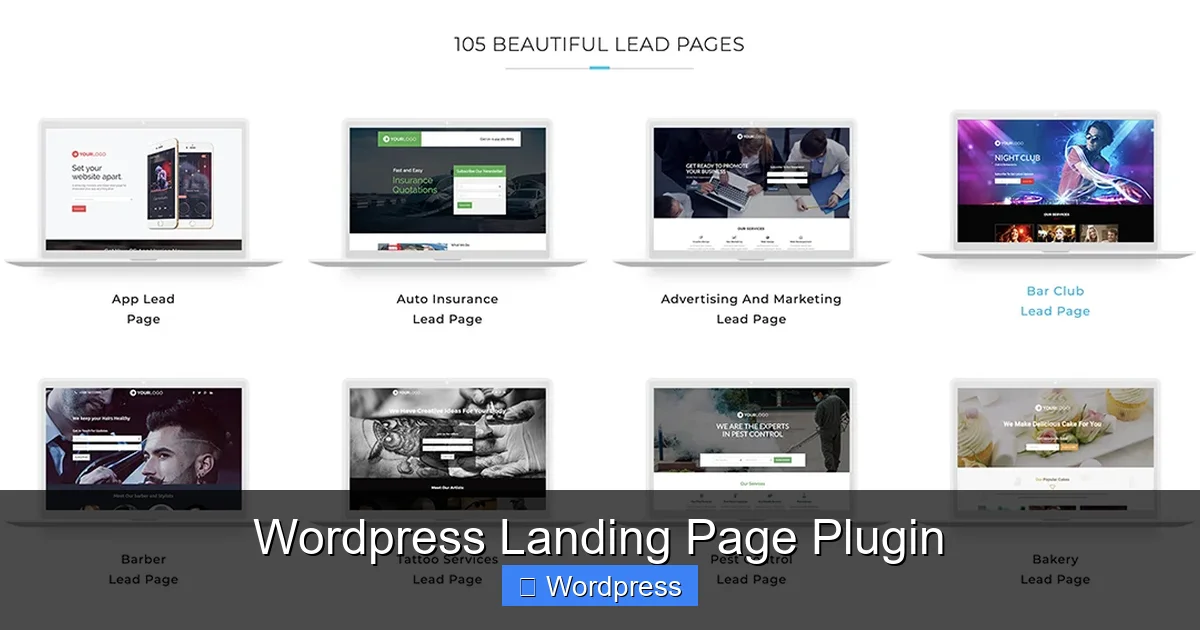
Templates are a huge time-saver. Whether you need a squeeze page, product launch page, or event registration form, having a library of ready-to-use designs means you can go from idea to live page in under 30 minutes. Bonus points if the templates are categorized by industry or goal.
Integration with Email Marketing Tools
Your landing page is only as good as what happens after someone fills out the form. Top plugins integrate seamlessly with popular email services like Mailchimp, ConvertKit, and ActiveCampaign. This ensures leads are automatically added to your list and nurtured with follow-up emails.
Mobile Optimization
Over 60% of web traffic comes from mobile devices. Your landing page must look great on small screens. The best plugins offer mobile-specific editing, so you can adjust padding, font sizes, and button placement just for mobile users.
A/B Testing and Analytics
Want to know which headline converts better? Or which CTA color drives more clicks? Advanced plugins include A/B testing tools that let you run experiments and track performance. Some even connect to Google Analytics for deeper insights.
Popular WordPress Landing Page Plugins
There are dozens of options out there, but a few stand out for their ease of use, features, and reliability. Here are some of the most trusted names in the space.
Elementor
Elementor is one of the most popular page builders for WordPress, and its free version includes powerful landing page capabilities. With hundreds of templates, a smooth drag-and-drop editor, and deep customization options, it’s perfect for beginners and pros alike. Plus, it works with any theme, so you don’t need to switch your entire site’s design.
Visual guide about WordPress Landing Page Plugin
Image source: sp-ao.shortpixel.ai
Thrive Architect
Built specifically for conversion-focused pages, Thrive Architect is part of the Thrive Themes suite. It includes advanced features like countdown timers, lead generation forms, and dynamic content. It’s ideal if your main goal is growing your email list or selling products directly from your site.
Beaver Builder
Known for its clean code and fast performance, Beaver Builder is a favorite among developers and designers. It’s lightweight, reliable, and offers a great balance of power and simplicity. While it has a steeper learning curve than Elementor, it’s excellent for building fast, professional pages.
Leadpages
Leadpages is a standalone platform with a WordPress plugin that lets you publish high-converting landing pages directly to your site. It’s known for its speed, built-in A/B testing, and smart traffic routing. While it’s a paid service, it’s worth considering if you want a fully managed solution.
How to Choose the Right Plugin for Your Needs
With so many options, how do you pick the best one? Start by asking yourself a few key questions:
- What’s my primary goal? (e.g., email sign-ups, product sales, event registrations)
- Do I need advanced features like A/B testing or dynamic content?
- How important is speed and performance?
- Am I comfortable with a learning curve, or do I need something simple?
- What’s my budget? (Many plugins have free versions with premium upgrades)
If you’re just starting out, a free plugin like Elementor or the free version of Thrive Architect might be all you need. As your business grows, you can upgrade to access more templates, integrations, and tools.
Also, consider compatibility. Make sure the plugin works well with your current theme and other plugins. For example, if you’re using a WordPress theme optimized for SEO and speed, you’ll want a landing page plugin that doesn’t slow things down.
Tips for Creating High-Converting Landing Pages
Even the best plugin won’t help if your page isn’t designed with conversion in mind. Here are a few proven tips to maximize results:
Write a Clear, Compelling Headline
Your headline is the first thing visitors see. It should instantly communicate the benefit of your offer. Instead of “Download Our Guide,” try “Get the Free Guide That Helped 10,000 Marketers Double Their Leads.”
Use Social Proof
Add testimonials, client logos, or stats like “Join 5,000+ happy customers” to build trust. People are more likely to act when they see others have had success.
Keep Forms Short
Only ask for essential information. A form with just name and email will convert better than one asking for phone number, company, and job title.
Make Your CTA Stand Out
Use a contrasting color, bold text, and action-oriented language like “Get Instant Access” or “Start My Free Trial.”
Test and Optimize
Don’t set it and forget it. Use A/B testing to try different headlines, images, or button colors. Even small changes can lead to big improvements in conversion rates.
Conclusion
A WordPress landing page plugin is one of the smartest investments you can make for your website. It gives you the power to create fast, beautiful, and high-converting pages without needing to code or redesign your entire site. Whether you’re launching a product, growing your email list, or promoting an event, the right plugin can help you turn more visitors into customers.
Start by exploring free options like Elementor or Thrive Architect, and upgrade as your needs grow. Focus on clarity, speed, and conversion—and don’t forget to test what works best for your audience. With the right tool and strategy, your next landing page could be your most successful yet.
Frequently Asked Questions
Can I create a landing page without a plugin?
Yes, you can build a landing page using your theme’s editor or a custom page template in WordPress, but it requires more technical skill and time. A plugin simplifies the process significantly.
Are landing page plugins SEO-friendly?
Most reputable plugins generate clean, semantic code and support SEO best practices. Pair your plugin with an SEO tool like Yoast for best results.
Can I use a landing page plugin on a multisite WordPress installation?
It depends on the plugin. Some support multisite, while others require individual installation on each site. Check the plugin’s documentation before purchasing.
Do I need hosting that supports landing page plugins?
Any standard WordPress hosting will work. However, for high traffic or fast load times, consider a high-performance WordPress host like SiteGround or WP Engine.
Can I export my landing page to another site?
Some plugins allow you to export templates or page designs as JSON files, which can be imported into another WordPress site using the same plugin.
Is it better to use a plugin or a dedicated landing page theme?
Plugins are more flexible since they work with your current theme. A dedicated landing page WordPress theme may offer deeper customization but requires switching your entire site’s design.