WordPress offers both free and premium themes, each with unique benefits. While free themes are great for beginners and small projects, premium themes often provide better design, support, and advanced features for growing websites.
Key Takeaways
- Free themes are available in the official WordPress directory: Thousands of free themes are vetted and safe to use directly from your dashboard.
- Premium themes offer advanced features and support: Paid themes often include custom widgets, page builders, and dedicated customer service.
- Free doesn’t always mean low quality: Many free themes are well-coded, responsive, and SEO-friendly—perfect for blogs and small business sites.
- Beware of third-party free theme risks: Downloading free themes from unofficial sources can expose your site to malware and security vulnerabilities.
- Child themes help customize without breaking updates: Using a child theme lets you modify designs safely while keeping the parent theme intact.
- Your website goals should guide your choice: A personal blog may thrive with a free theme, while an eCommerce site may need a premium solution.
- Always test themes before going live: Use staging sites to preview and tweak themes without affecting your live website.
Quick Answers to Common Questions
Can I use a free WordPress theme for a business website?
Yes, many free themes are suitable for small business sites, especially if you don’t need advanced features. Just ensure the theme is responsive, SEO-friendly, and regularly updated.
Do free WordPress themes slow down my site?
Not necessarily. Many free themes are lightweight and fast. However, some may include bloated code or unnecessary features that can affect performance—always check reviews and test speed.
Can I customize a free WordPress theme?
Yes, but with limitations. Use the WordPress Customizer or a child theme to make safe changes without breaking future updates.
Are premium themes better for SEO?
Often, yes. Premium themes are more likely to follow SEO best practices, load faster, and integrate well with SEO plugins like Yoast or Rank Math.
How do I know if a theme is safe to use?
Stick to themes from the official WordPress directory or reputable developers. Avoid nulled or pirated themes from unknown websites.
📑 Table of Contents
Is WordPress Theme Free? Understanding Your Options
When you’re starting a website on WordPress, one of the first big decisions is choosing a theme. And naturally, the question pops up: Is WordPress theme free? The short answer? Yes—and no. WordPress itself is free and open-source software, and it offers a vast library of free themes right inside its dashboard. But there’s also a thriving market for premium (paid) themes that come with extra features, better support, and more design flexibility.
So, what’s the real difference? And how do you decide what’s right for your website? Whether you’re launching a personal blog, a portfolio, or an online store, your theme choice impacts everything from appearance to performance. In this guide, we’ll break down the world of WordPress themes—free and paid—so you can make an informed decision that fits your goals, budget, and technical comfort level.
Where to Find Free WordPress Themes
The safest and most reliable place to get free WordPress themes is the official WordPress Theme Directory. You can access it directly from your WordPress dashboard by going to Appearance > Themes > Add New. Here, you’ll find thousands of free themes that have been reviewed and approved by the WordPress team for security, coding standards, and functionality.
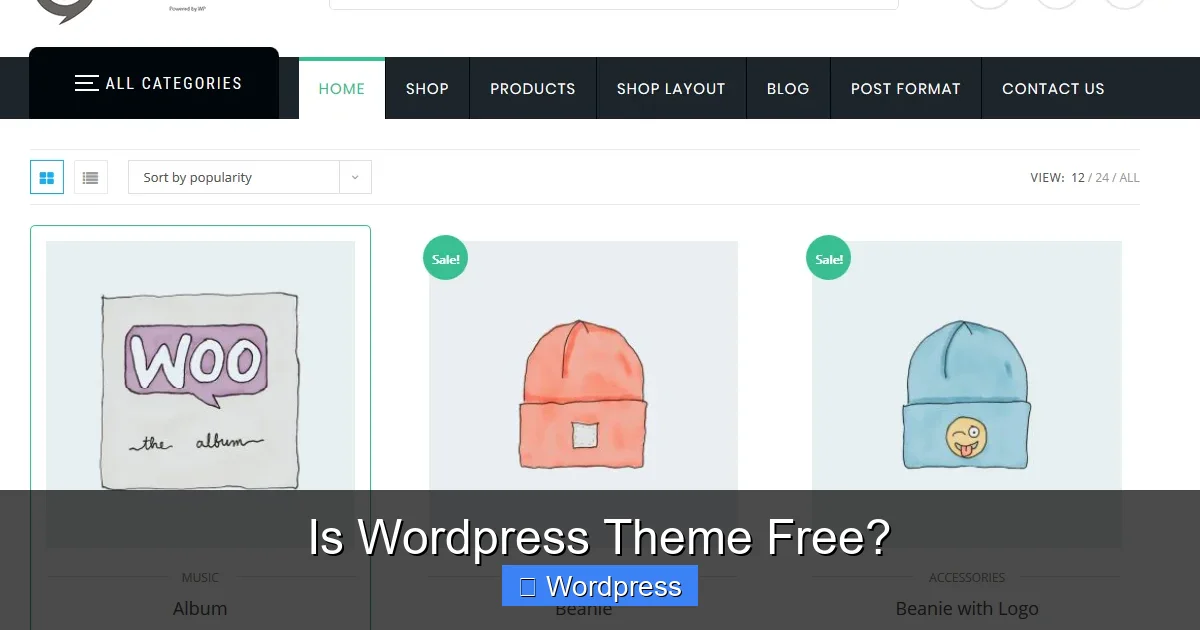
Visual guide about Is WordPress Theme Free?
Image source: repository-images.githubusercontent.com
Popular Free Themes Worth Checking Out
Some free themes have become fan favorites due to their clean design and reliability. Examples include:
- Twenty Twenty-Four: The latest default theme from WordPress, known for its simplicity and full-site editing support.
- Astra: A lightweight, highly customizable theme with starter templates for blogs, businesses, and online stores.
- Neve: Fast, responsive, and compatible with popular page builders like Elementor and Gutenberg.
- OceanWP: Offers deep customization options and works well for magazines, shops, and portfolios.
These themes are not only free but also regularly updated, which means they stay compatible with the latest version of WordPress and receive security patches.
How to Install a Free Theme
Installing a free theme is simple:
- Go to Appearance > Themes > Add New in your WordPress dashboard.
- Search for a theme by name or browse categories like “Blog,” “Business,” or “E-commerce.”
- Click “Install” and then “Activate” once it’s ready.
Within minutes, your site can have a fresh new look—no coding required.
The Pros and Cons of Free WordPress Themes
Free themes are a fantastic starting point, especially if you’re on a tight budget or just testing the waters with WordPress. But they come with trade-offs.
Advantages of Free Themes
- Cost-effective: Obviously, they’re free—no upfront investment.
- Safe and trusted: Themes in the official directory are scanned for malware and follow WordPress coding standards.
- Easy to try: You can install and switch themes quickly to see what works best.
- Good for simple sites: If you’re running a basic blog or informational site, a free theme may be all you need.
Limitations of Free Themes
- Limited customization: Free themes often have fewer options for colors, fonts, and layout adjustments.
- Generic designs: Because they’re used by thousands of sites, your website might look similar to others.
- No dedicated support: If something breaks, you’re usually on your own—no customer service team to call.
- Fewer advanced features: Things like custom widgets, mega menus, or WooCommerce integration may be missing or limited.
For example, if you’re building an online store, a free theme might not include the product filters, quick-view buttons, or mobile-optimized checkout that a premium theme would offer.
Premium Themes: Are They Worth the Price?
Premium themes are paid WordPress themes sold by developers or marketplaces like ThemeForest, Elegant Themes, or StudioPress. Prices typically range from $30 to $100, and some come with annual subscriptions for updates and support.
Why Choose a Premium Theme?
- Professional design: Premium themes are often built by experienced designers and tailored for specific industries.
- Advanced features: Many include drag-and-drop builders, custom post types, and integration with plugins like WooCommerce or LearnDash.
- Regular updates: Paid themes are more likely to receive frequent updates for security and compatibility.
- Customer support: Most premium themes come with documentation and access to support teams via email or chat.
- Exclusive templates: You get access to demo sites you can import with one click, saving hours of setup time.
For instance, the GeneratePress premium version (which we reviewed in detail here) offers performance optimizations and deeper customization that the free version lacks.
When to Invest in a Premium Theme
Consider upgrading to a premium theme if:
- You’re running a business or eCommerce site.
- You need unique branding that stands out.
- You want faster load times and better SEO performance (check out our guide on the best WordPress themes for SEO and speed).
- You plan to scale your website over time.
Avoiding Risks: Beware of Unofficial Free Themes
While the official WordPress directory is safe, downloading free themes from third-party websites can be risky. Some sites offer “nulled” or pirated versions of premium themes for free—but these often come with hidden dangers.
Security Risks of Unofficial Themes
- Malware and backdoors: Pirated themes may contain malicious code that gives hackers access to your site.
- No updates: You won’t receive security patches, leaving your site vulnerable.
- Broken functionality: Modified code can cause errors, crashes, or compatibility issues with plugins.
Always stick to trusted sources. If a deal seems too good to be true—like a $200 premium theme for free—it probably is.
Customization Tips: Using Child Themes
Whether you choose a free or premium theme, it’s wise to use a child theme when making customizations. A child theme inherits the design and functionality of the parent theme but allows you to modify it without losing changes during updates.
For example, if you want to change the font or add a custom footer to your site, doing so in a child theme ensures those edits remain intact when the parent theme updates. Learn more about how child themes work here.
How to Create a Child Theme
Creating a child theme involves a few steps:
- Create a new folder in
/wp-content/themes/(e.g.,mytheme-child). - Add a
style.cssfile with a header that references the parent theme. - Add a
functions.phpfile to enqueue the parent theme’s styles. - Activate the child theme from your dashboard.
Many themes also offer built-in child theme generators or downloadable child theme files.
Making the Right Choice for Your Website
So, is a WordPress theme free? Technically, yes—but the real question is: Which type of theme is right for you?
If you’re starting a personal blog, a hobby site, or a small project with minimal needs, a free theme from the official directory is a smart, safe choice. It’s easy to use, cost-free, and perfectly adequate for basic functionality.
But if you’re building a professional website—especially one that generates income—investing in a premium theme can pay off in the long run. You’ll get better design, faster performance, reliable support, and features that help your site grow.
And remember: you can always start with a free theme and upgrade later. WordPress makes it easy to switch themes without losing your content. Just be sure to test any new theme on a staging site first to avoid surprises.
Ultimately, the best theme is the one that matches your goals, fits your budget, and helps your website succeed—whether it’s free or paid.
Frequently Asked Questions
Are all WordPress themes free?
No, WordPress offers both free and premium (paid) themes. Free themes are available in the official directory, while premium themes are sold by developers and marketplaces.
Can I switch from a free to a premium theme later?
Yes, you can switch themes at any time. Your content remains intact, but you may need to reconfigure settings and widgets depending on the new theme.
Do free themes include customer support?
Generally, no. Free themes rely on community forums or documentation for help, while premium themes usually offer direct support via email or chat.
Are free WordPress themes mobile-friendly?
Most modern free themes are responsive and work well on mobile devices, but always preview the theme on different screen sizes before going live.
Can I use a free theme for an eCommerce site?
Yes, but choose one that supports WooCommerce and offers product page customization. Some free themes are optimized for online stores, but premium options often provide better tools.
Is it legal to use nulled WordPress themes?
No, using nulled (pirated) themes is illegal and risky. It violates copyright laws and exposes your site to security threats like malware and hacking.