A WordPress theme controls your site’s appearance and layout. It determines colors, fonts, and structure without affecting your content. Choosing the right theme ensures a professional, responsive, and fast website.
Key Takeaways
- WordPress themes define your site’s look and feel: They control layout, design, and styling across all pages.
- Themes are separate from content: You can change themes without losing posts, pages, or media.
- There are free and premium themes: Free themes offer basic features; premium themes include advanced customization and support.
- Responsive themes are a must: They adapt to mobile, tablet, and desktop screens for better user experience.
- Child themes protect your customizations: Always use a child theme when modifying code to avoid losing changes during updates.
- Theme performance impacts SEO and speed: Lightweight, well-coded themes improve loading times and search rankings.
- Always update your theme: Regular updates fix bugs, improve security, and ensure compatibility with WordPress.
What Is a WordPress Theme?
If you’re new to WordPress, you might be wondering: What exactly is a WordPress theme? Simply put, a WordPress theme is a collection of files that work together to determine how your website looks and behaves. It controls everything from colors and fonts to page layouts and navigation menus.
Think of your WordPress site like a house. The content—your blog posts, pages, and images—is the furniture inside. The theme is the architecture, paint, and design of the house itself. Without a theme, your site would just be plain text on a white background. With a theme, it becomes a polished, professional, and user-friendly experience.
In this guide, you’ll learn how WordPress themes work, the different types available, how to install and customize them, and how to choose the best one for your needs. Whether you’re building a blog, business site, or online store, understanding themes is essential.
How WordPress Themes Work
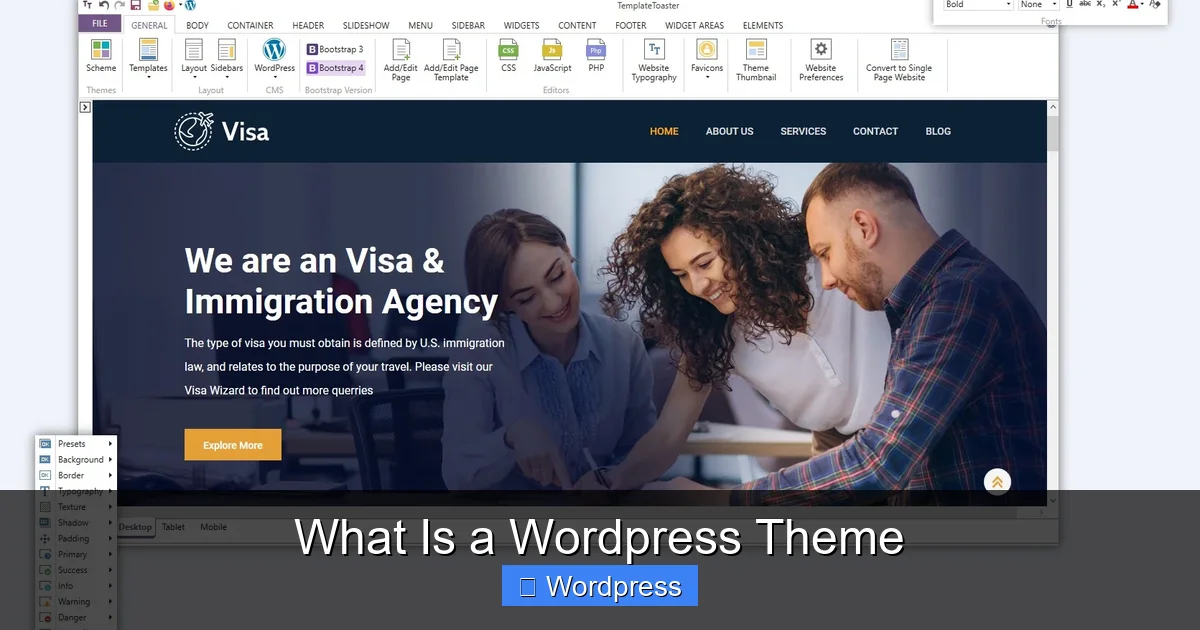
Visual guide about What Is a WordPress Theme
Image source: templatetoaster.com
WordPress themes are made up of several key files, including PHP, CSS, JavaScript, and image files. These files tell WordPress how to display your content. When someone visits your site, WordPress uses the active theme to generate the HTML that their browser displays.
Each theme includes templates for different parts of your site—like the homepage, blog posts, and contact page. These templates pull in your content from the WordPress database and format it according to the theme’s design.
For example, a blog post might show the title at the top, followed by the author name, date, and content. That structure is defined by the theme’s single post template. The same goes for sidebars, footers, headers, and more.
Theme Files and Structure
Most themes include these core files:
- style.css: Contains the theme’s styling rules (colors, fonts, spacing).
- functions.php: Adds features and functionality, like widget areas or custom menus.
- header.php: Defines the top section of your site (logo, navigation).
- footer.php: Controls the bottom section (copyright, links).
- index.php: The main template that displays blog posts or homepage content.
- single.php: Used for individual blog posts.
- page.php: Used for static pages like “About” or “Contact.”
These files work together to create a consistent look across your entire site.
Types of WordPress Themes
Not all themes are created equal. Here are the main types you’ll encounter:
Free vs. Premium Themes
Free themes are available in the official WordPress theme directory. They’re great for beginners and small projects. However, they often have limited customization options and may include ads or affiliate links.
Premium themes, on the other hand, are paid products sold by developers or marketplaces like ThemeForest. They usually offer more features, better support, and regular updates. If you’re building a business website, a premium theme is often worth the investment.
Multipurpose vs. Niche Themes
Multipurpose themes (like Astra or Divi) are designed to work for any type of website—blogs, portfolios, online stores, etc. They’re highly customizable but can be bloated with unused features.
Niche themes are built for specific purposes, like a restaurant, gym, or photography portfolio. They come with pre-designed layouts tailored to that industry, which can save you time.
Responsive vs. Non-Responsive Themes
A responsive theme automatically adjusts its layout to fit different screen sizes. This is crucial because over 50% of web traffic comes from mobile devices. Always choose a responsive theme to ensure your site looks good on phones and tablets.
You can learn more about responsive design in our article: Are All WordPress Themes Responsive?
How to Install a WordPress Theme
Installing a theme is simple. Here’s how:
Step 1: Go to Your WordPress Dashboard
Log in to your WordPress admin area. From the left menu, click Appearance > Themes.
Step 2: Add a New Theme
Click the Add New button at the top. You’ll see a gallery of free themes. Use the search bar to find one by name or keyword (e.g., “blog,” “minimal,” “business”).
Step 3: Preview and Install
Hover over a theme and click Preview to see how it looks. If you like it, click Install. Once installed, click Activate to make it live on your site.
Step 4: Upload a Premium Theme (Optional)
If you bought a premium theme, you’ll get a .zip file. Go back to Add New, then click Upload Theme. Choose the .zip file and click Install Now. Then activate it.
Customizing Your WordPress Theme
After activating a theme, you’ll likely want to personalize it. WordPress makes this easy with the built-in Customizer.
Access the Customizer
Go to Appearance > Customize. You’ll see options like:
- Site Identity (logo, title, tagline)
- Colors and Background
- Menus and Widgets
- Homepage Settings
- Additional CSS
Make Safe Changes with a Child Theme
If you plan to edit theme files (like CSS or PHP), always use a child theme. A child theme inherits all the functionality of the parent theme but lets you make changes without losing them during updates.
You can learn more about this in our guide: What Is a Child Theme in WordPress?
Choosing the Right WordPress Theme
With thousands of themes available, how do you pick the best one? Here are key factors to consider:
1. Purpose of Your Site
Are you building a blog, online store, portfolio, or business site? Choose a theme designed for that purpose. For example, use a WooCommerce-compatible theme for an online store.
2. Speed and Performance
A slow theme can hurt your SEO and user experience. Look for lightweight themes with clean code. Our article on the Best WordPress Theme for SEO and Speed can help you find fast, optimized options.
3. Customization Options
Check if the theme supports page builders like Elementor or Gutenberg. More customization means more control over your design.
4. Support and Updates
Choose themes from reputable developers who offer regular updates and customer support. This is especially important for premium themes.
5. Reviews and Ratings
Read user reviews before installing. A high rating and positive feedback are good signs.
Troubleshooting Common Theme Issues
Sometimes themes don’t work as expected. Here’s how to fix common problems:
White Screen After Activation
This usually means a PHP error. Try switching to a default theme (like Twenty Twenty-Four) via FTP or your hosting file manager. Then reactivate your theme or check for conflicts.
Design Looks Broken
Clear your browser cache and WordPress cache (if using a plugin). Also, check if your theme requires specific plugins to be installed.
Theme Not Updating
Make sure your WordPress version is up to date. Also, check if your theme license is active (for premium themes).
You can learn more about updating themes safely in our guide: How to Update Theme on WordPress
Conclusion
A WordPress theme is the foundation of your website’s design and user experience. It controls how your content is displayed, from fonts and colors to layout and navigation. Whether you choose a free or premium theme, make sure it’s responsive, fast, and suited to your site’s purpose.
Always use a child theme for customizations, keep your theme updated, and test your site on different devices. With the right theme, your WordPress site will look professional, load quickly, and rank well in search engines.
Now that you know what a WordPress theme is and how it works, you’re ready to build a beautiful, functional website. Happy theming!