Choosing the right WordPress theme is crucial for your website’s design, performance, and user experience. This guide walks you through key factors like responsiveness, speed, customization, and support to help you make the best choice for your project.
Key Takeaways
- Prioritize responsiveness: Your theme must look great on mobile devices, as over half of web traffic comes from smartphones.
- Check performance and speed: A fast-loading theme improves SEO and reduces bounce rates—look for lightweight code and optimized assets.
- Ensure compatibility with plugins: Your theme should work seamlessly with essential plugins like SEO tools, contact forms, and page builders.
- Look for regular updates and support: Themes that are frequently updated are more secure and compatible with the latest WordPress version.
- Test before you commit: Always preview or demo a theme to see how it looks and behaves with your content.
- Consider using a child theme: This protects your customizations when the parent theme gets updated—learn more in our guide on what is a child theme in WordPress.
- Free vs. premium: Free themes can work well, but premium themes often offer better features, support, and security—read our article on are free WordPress themes worth it to decide.
How Do I Choose a WordPress Theme?
So, you’ve decided to build a website with WordPress—great choice! But now comes the tricky part: how do I choose a WordPress theme? With thousands of options available, it’s easy to feel overwhelmed. The good news? With a clear strategy, you can find a theme that’s not only beautiful but also fast, secure, and easy to manage.
In this guide, we’ll walk you through a step-by-step process to help you pick the perfect WordPress theme for your blog, business, portfolio, or online store. Whether you’re a beginner or a seasoned developer, these tips will save you time, money, and headaches down the road.
Step 1: Define Your Website’s Purpose
Before browsing themes, ask yourself: What is my website for? The answer will guide your entire selection process.
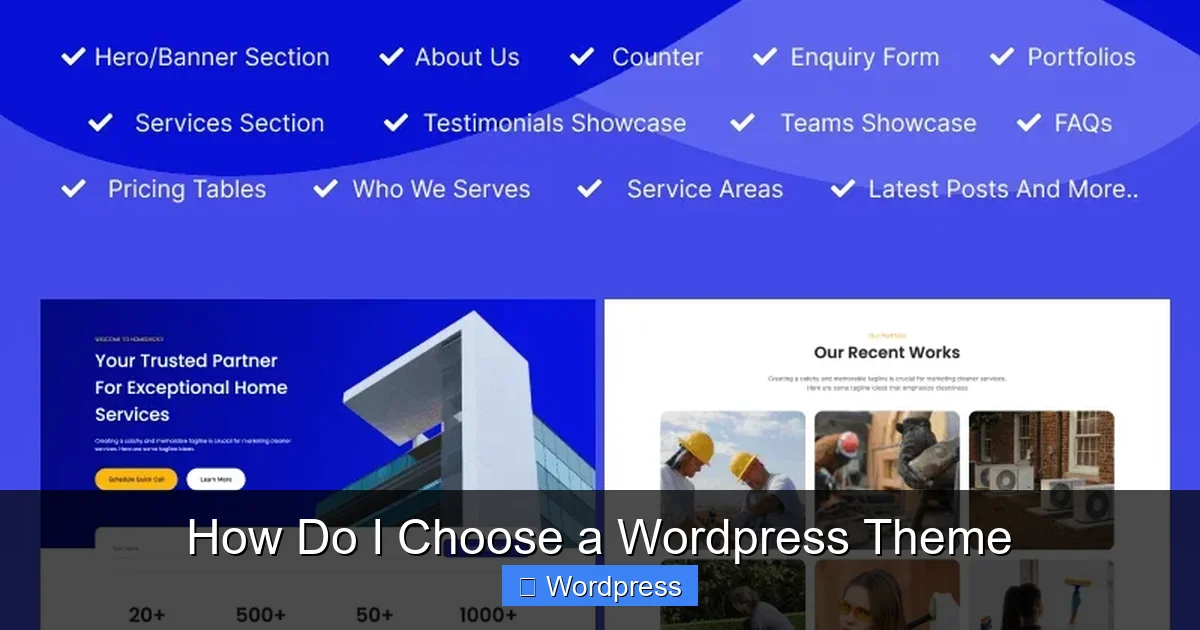
Visual guide about How Do I Choose a WordPress Theme
Image source: cozythemes.com
Identify Your Niche
Are you starting a blog, an online store, a portfolio, or a corporate site? Each type of website has different needs. For example:
- A blog needs clean typography and easy navigation.
- An e-commerce site requires WooCommerce compatibility and product display features.
- A portfolio benefits from image galleries and minimal design.
Consider Your Audience
Who are you trying to reach? A modern, sleek theme might appeal to tech-savvy users, while a simple, colorful design could work better for a family-oriented blog. Think about usability and accessibility—your theme should be easy to read and navigate for all visitors.
Step 2: Prioritize Responsiveness and Mobile-Friendliness
More than 50% of global web traffic comes from mobile devices. If your theme doesn’t look good on phones and tablets, you’re losing visitors—and potential customers.
Test the Demo on Multiple Devices
Most theme providers offer live demos. Open the demo on your phone, tablet, and desktop. Check if:
- Text is readable without zooming.
- Buttons and menus are easy to tap.
- Images scale properly.
- The layout doesn’t break on smaller screens.
Look for “Mobile-First” Design
Themes built with a mobile-first approach are optimized for performance and usability on small screens. You can also check if the theme is labeled as “responsive” in the WordPress theme directory or marketplace.
Not sure if a theme is responsive? Visit our article on are all WordPress themes responsive to learn how to test and verify responsiveness.
Step 3: Evaluate Performance and Speed
A slow website frustrates users and hurts your search engine rankings. Your theme plays a big role in site speed.
Visual guide about How Do I Choose a WordPress Theme
Image source: businesscookhouse.com
Check Page Load Times
Use tools like Google PageSpeed Insights or GTmetrix to test the theme’s demo site. Aim for a load time under 3 seconds. If the demo is slow, your live site likely will be too.
Avoid Bloated Themes
Some themes come packed with unnecessary features—sliders, animations, and widgets you may never use. These add bloat and slow down your site. Look for lightweight themes with clean code.
Optimize for SEO
A good theme should support SEO best practices, like proper heading structure, schema markup, and fast loading. For a deep dive, check out our guide on the best WordPress theme for SEO and speed.
Step 4: Ensure Plugin Compatibility
WordPress plugins extend your site’s functionality. Your theme must play nicely with the tools you plan to use.
Test Key Plugins
Before installing a theme, make sure it’s compatible with essential plugins like:
- Yoast SEO or Rank Math for search optimization.
- Contact Form 7 or WPForms for lead generation.
- WooCommerce if you’re selling products.
- Elementor or Gutenberg for page building.
Check for Page Builder Support
If you plan to use a drag-and-drop builder like Elementor, choose a theme that’s optimized for it. Some themes are built specifically for certain builders and offer better integration and performance.
Want to build a custom theme with Elementor? Learn how in our tutorial on how to create a WordPress theme with Elementor.
Step 5: Look for Regular Updates and Support
A theme that hasn’t been updated in years is a red flag. WordPress core updates frequently, and your theme needs to keep up.
Check the Last Update Date
In the WordPress theme directory, you’ll see when a theme was last updated. Avoid themes that haven’t been updated in over a year.
Read Reviews and Ratings
User reviews can reveal hidden issues—like poor support, bugs, or compatibility problems. Look for themes with high ratings and active support forums.
Choose Themes with Good Documentation
Good documentation helps you set up and customize your theme without guessing. Premium themes often include detailed guides, video tutorials, and direct support.
Step 6: Test the Theme Before Going Live
Never install a theme on your live site without testing it first.
Use a Staging Site
A staging site is a copy of your live website where you can test changes safely. Most hosting providers offer one-click staging. Install your new theme there and see how it performs with your content.
Preview with Your Content
Upload a few blog posts, pages, and images to see how they look. Does the theme display your content well? Are fonts and colors consistent?
Check for Customization Options
Can you change colors, fonts, and layouts easily? Most themes offer a customizer in the WordPress dashboard. Make sure the options are intuitive and flexible.
Step 7: Consider Free vs. Premium Themes
Free themes are tempting—especially for beginners. But are they worth it?
Pros and Cons of Free Themes
Free themes are great for testing or simple sites. However, they often lack advanced features, dedicated support, and regular updates. They may also include hidden ads or upsell prompts.
When to Go Premium
Premium themes usually offer better design, performance, and support. If you’re building a business site or online store, investing in a premium theme is often worth it.
Still unsure? Read our detailed comparison in are free WordPress themes worth it.
Troubleshooting Common Issues
Even with careful selection, you might run into problems. Here’s how to handle common issues:
Theme Breaks After Update
This often happens when you’ve modified the theme directly. To avoid this, always use a child theme for customizations. That way, updates won’t overwrite your changes.
Slow Loading After Installation
If your site slows down after installing a new theme, it might be due to unoptimized images or too many plugins. Use caching plugins and image optimization tools to improve speed.
Design Looks Different on Live Site
Sometimes, the demo looks perfect, but your live site doesn’t. This can happen if your content doesn’t match the demo’s structure. Rebuild key pages using the same layout and content types.
Conclusion
Choosing the right WordPress theme doesn’t have to be stressful. By focusing on your website’s purpose, prioritizing mobile responsiveness, checking performance, and testing before you commit, you’ll find a theme that looks great and works even better.
Remember: the best theme is one that’s fast, flexible, and future-proof. Take your time, do your research, and don’t be afraid to ask for help. With the right theme, your WordPress site will be set up for success from day one.